The iPhone app for the DG-LAB Coyote 3.0
Frisson
The shiver when rule meets sensation.
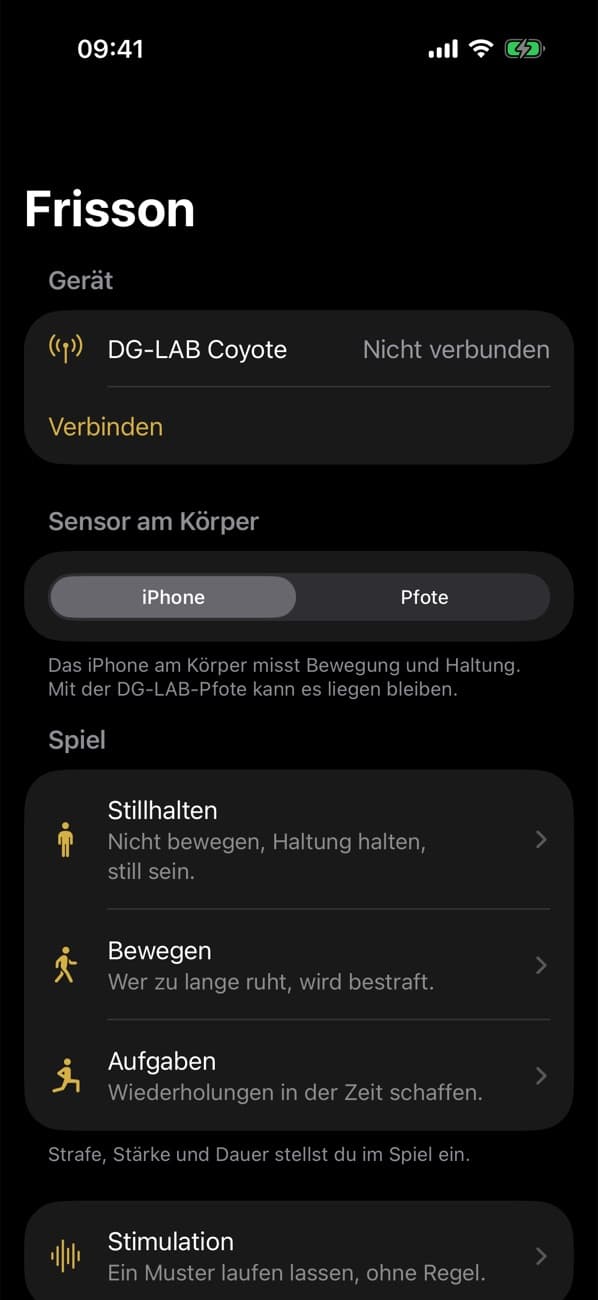
Frisson turns the DG-LAB Coyote into a game for two: one person wears it, the other sets the rules. Hold still, move, do tasks, or just let it flow. All controlled from an iPhone or iPad.
Why Frisson?
Frisson is French for the shiver that runs down your spine: goosebumps somewhere between anticipation, thrill and desire. That's where the app plays, in the moment just before the stimulus hits.
Frisson grew out of a simple wish: the Coyote and Pawprint can do a lot, but much of it is buried deep in menus. Frisson makes those features easier to reach, with clear games, few settings, and limits you can see at a glance.
Three games
One rule. And what happens when it breaks.
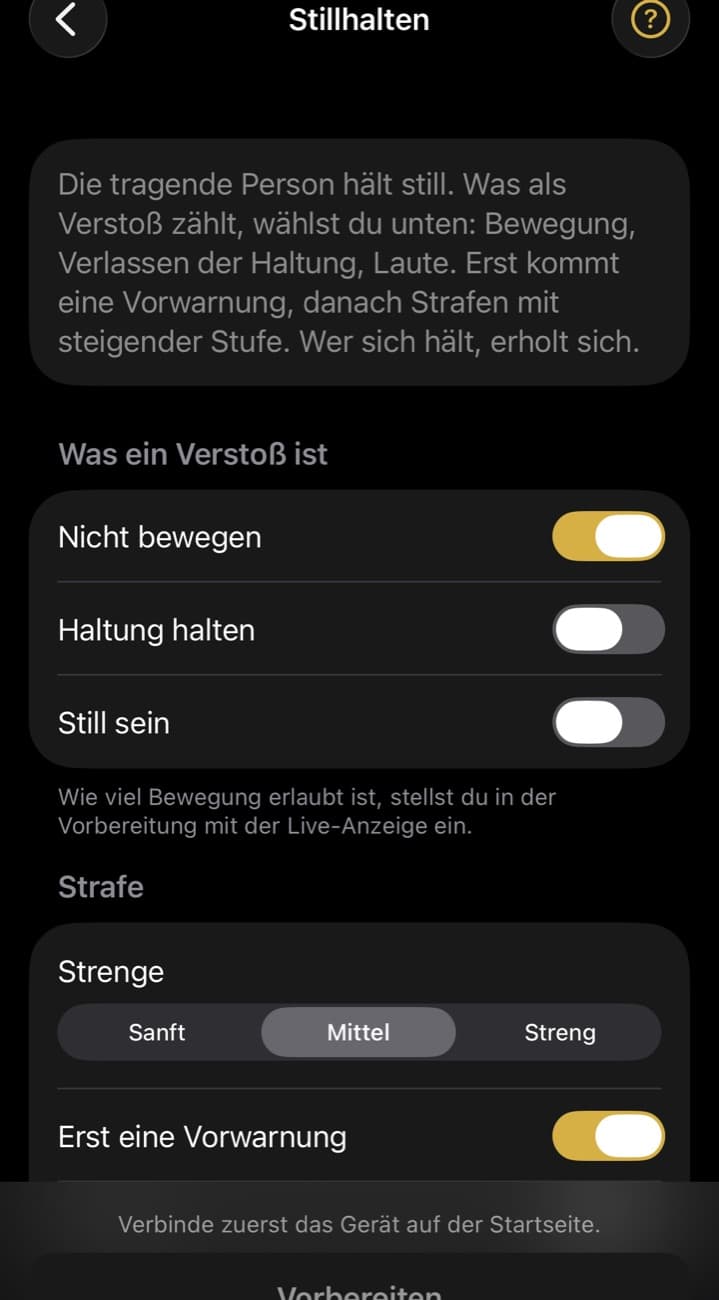
Every game has its own rule. Break it and you get a warning first, then punishments that rise with every mistake. Pull yourself together and they come back down.
Hold Still
The statue.Don't move, hold the pose, don't make a sound. You choose what counts, or all of it at once. With provocation, unexpected stimuli join in, and whoever flinches loses.
Move
Don't you dare slow down.Here, stillness is the mistake. Stand still too long and you get a reminder to keep going. A quick twitch isn't enough; the movement has to be real.
Tasks
Round after round.A number of reps in a set time, squats for example. A tone marks the start. In “On the beat” mode the app sets the pace, beat by beat. Made it means recovery, missed it means punishment.
Prepare
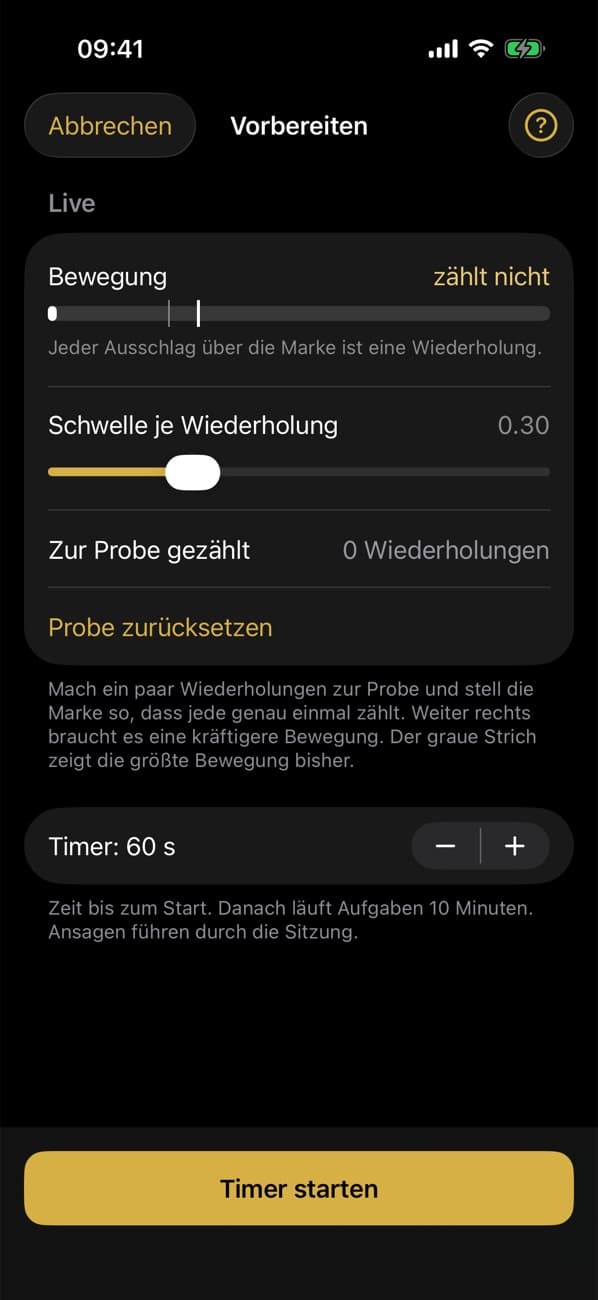
The rule, tuned exactly to you.
A live display shows every movement, and you slide the limit to match. Calm breathing stays below it, a flinch doesn't. For tasks, Frisson counts along during a trial run so every rep counts exactly once.
The session
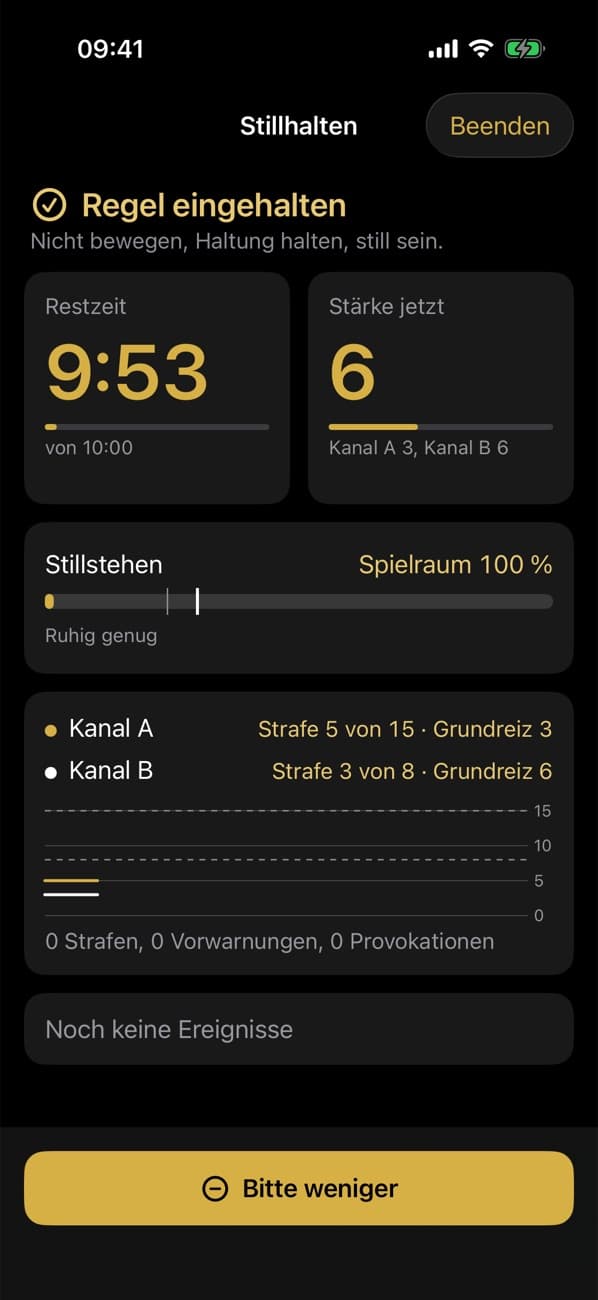
Whoever sets it up sees everything.
Time left, the strength being applied right now, how close it is to the limit, and both Coyote channels with history. The wearer can't see the iPhone. Announcements and tones say what's happening: start, warning, next round, last minute.
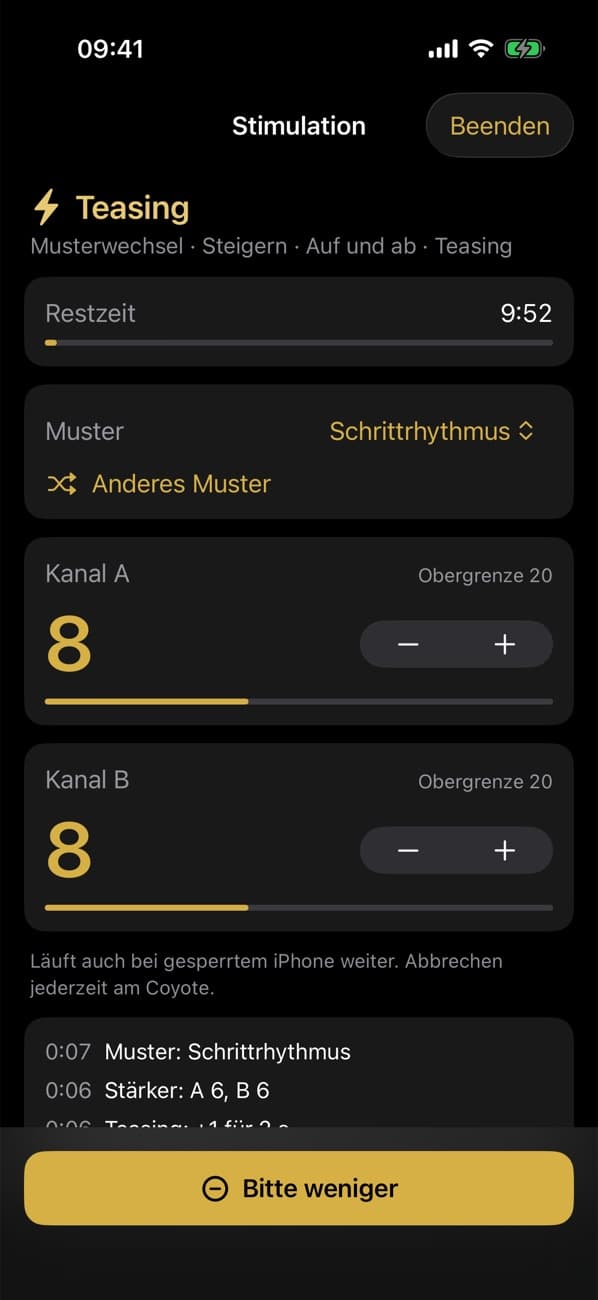
Stimulation
No rules. Just the feeling.
A pattern runs and can be driven: random pattern changes, irregular increases, a constant up and down, and teasing that suddenly gets stronger. Both channels in lockstep or each on its own. At the end everything fades out softly instead of stopping abruptly.
And there's more
Two channels
Channels A and B, each with its own punishment, base stimulus and provocation. Every spot feels different.
Pawprint as sensor
With the DG-LAB Pawprint, a small sensor measures right on the body. The iPhone can stay put.
Remote control
A second device on the same Wi-Fi joins in from a browser, just scan a QR code. Nothing goes to the internet.
Stimulus Lab
Feel stimuli, shape them, save them and adjust them later. The 24 waveforms of the DG-LAB app are built in, and you can import your own.
Base stimulus and provocation
A stimulus that never quite stops, and surprises that aren't punishments but feel like them.
Roulette and strictness
Gentle, medium or strict. With roulette, nobody knows whether the next punishment will hit.
Join the beta
Frisson isn't on the App Store yet, but you can already try it through Apple's TestFlight. You join in the TestFlight app, not in the browser:
- On your iPhone or iPad, get the “TestFlight” app from the App Store.
- On the same device, open the invitation below and tap “View in TestFlight”.
- In TestFlight, tap “Accept”, then “Install”.
The invitation page itself has no join button. On a Windows computer or an Android device it only shows a notice.
DeviceiPhone or iPad with iOS 17 or later
Stim unitDG-LAB Coyote 3.0
OptionalDG-LAB Pawprint with firmware 1.1
LanguageEnglish and German, following your iOS language
No account, no ads, no analytics in the app. Privacy · Before your first game, please read the safety warnings.
FAQ
Which devices does Frisson support?
The DG-LAB Coyote 3.0 and, as a body sensor, the DG-LAB Pawprint with firmware 1.1. Older Coyote models such as the Coyote 2.0 don't work. Frisson runs on iPhone and iPad with iOS 17 or later.
Do I also need the DG-LAB app?
No. Frisson connects to the Coyote directly over Bluetooth. The Coyote only connects to one app at a time, though: if the DG-LAB app is still connected, disconnect it there first. Only an older Pawprint needs the DG-LAB app to update to firmware 1.1.
How is Frisson different from the DG-LAB app?
Frisson builds rule-based games around the Coyote: movement, pose and sound are measured, and breaking the rule leads to a warning and rising punishments. On top of that there's free stimulation, a Stimulus Lab with the 24 waveforms of the DG-LAB app, fixed upper limits per channel, and remote control over Wi-Fi.
Is Frisson available for Android?
No, Frisson is only available for iPhone and iPad.
How much does Frisson cost?
The TestFlight beta is free. There's no account, no ads and no in-app purchases.
Does anything go to the internet?
No. The app talks to the Coyote and Pawprint over Bluetooth. Remote control stays on your own Wi-Fi, with the iPhone itself acting as the server.
Contact
A question, an idea for a new game, or something that isn't working the way it should? Send an email. For bugs, the diagnostics log from the app helps (Settings → Diagnostics log → Share).
info@trublue.ch